
Download Posty – Multi‑Platform Microblogging Tool
Overview
In today’s fast‑paced digital world, juggling multiple micro‑blogging services can feel like a full‑time job. Whether you’re a social‑media manager, a brand evangelist, or just a hobbyist who loves sharing snippets across platforms, the need for a unified posting solution is undeniable. Posty answers that call with a sleek Adobe AIR‑based interface that lets you publish to Twitter, Jaiku, Pownce, Tumblr, and FriendFeed simultaneously. No more opening five separate tabs, logging in repeatedly, and copying‑pasting the same text. With Posty, you enter your credentials once, type your message, select the desired services, and hit “Post.” The app instantly pushes your content to every chosen network, saving you minutes—or even hours—each week.
While the concept is straightforward, Posty packs several thoughtful touches that make the experience feel polished. The configuration panel stores encrypted login tokens, so you never have to re‑enter passwords unless you choose to reset them. A built‑in timeline view lets you scroll through your recent posts, giving you quick feedback on what’s already live. Though the tool doesn’t support advanced media uploads (like Tumblr photos) or contact management, its core strength lies in speed, reliability, and a clean, distraction‑free UI. If you consider yourself “addicted” to micro‑blogging, Posty is positioned as a must‑have companion that turns a repetitive chore into a single‑click operation.
Key Features
- Simultaneous posting to five major micro‑blogging services: Twitter, Jaiku, Pownse, Tumblr, and FriendFeed.
- Secure storage of login credentials using Adobe AIR’s encrypted local storage.
- Customizable posting interface with check‑boxes for selective publishing.
- Built‑in recent‑post viewer that refreshes automatically after each submission.
- Lightweight desktop client (under 15 MB) that runs on Windows, macOS, and Linux via AIR runtime.
- Automatic URL shortening integration for platforms with character limits.
- Support for plain‑text formatting (bold, italic) where each service permits it.
- Free version with optional paid upgrade for priority support and future feature road‑map voting.
Posty’s design philosophy emphasizes “do one thing and do it well.” By focusing exclusively on cross‑posting, the developers avoided feature bloat and kept the app responsive even on older machines. The URL shortener automatically detects long links and replaces them with a compact version, which is especially handy for Twitter’s 280‑character limit. Although the free version lacks advanced media handling, the roadmap hints at future support for image uploads to Tumblr and video embeds for FriendFeed, showing the team’s commitment to evolving with user demand.
Installation & Usage Guide
Step‑by‑Step Installation
- Visit the official Posty download page and click the Download for Windows (or macOS/Linux) button.
- Run the installer; it will also prompt you to install the latest Adobe AIR runtime if it’s not already present.
- Accept the license agreement, choose an installation folder, and click Install.
- Once installation completes, launch Posty from your desktop shortcut or start menu.
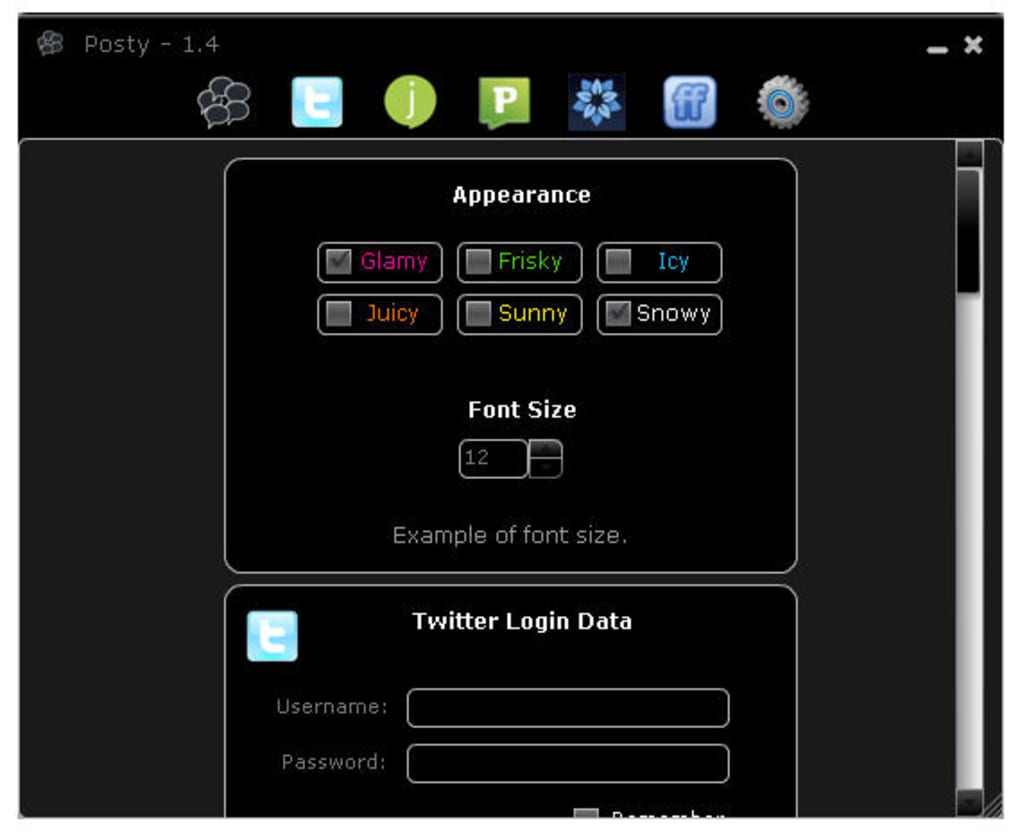
- The first‑time launch will open the Configuration Wizard. Enter your usernames and passwords for each service you wish to connect.
How to Publish a Post
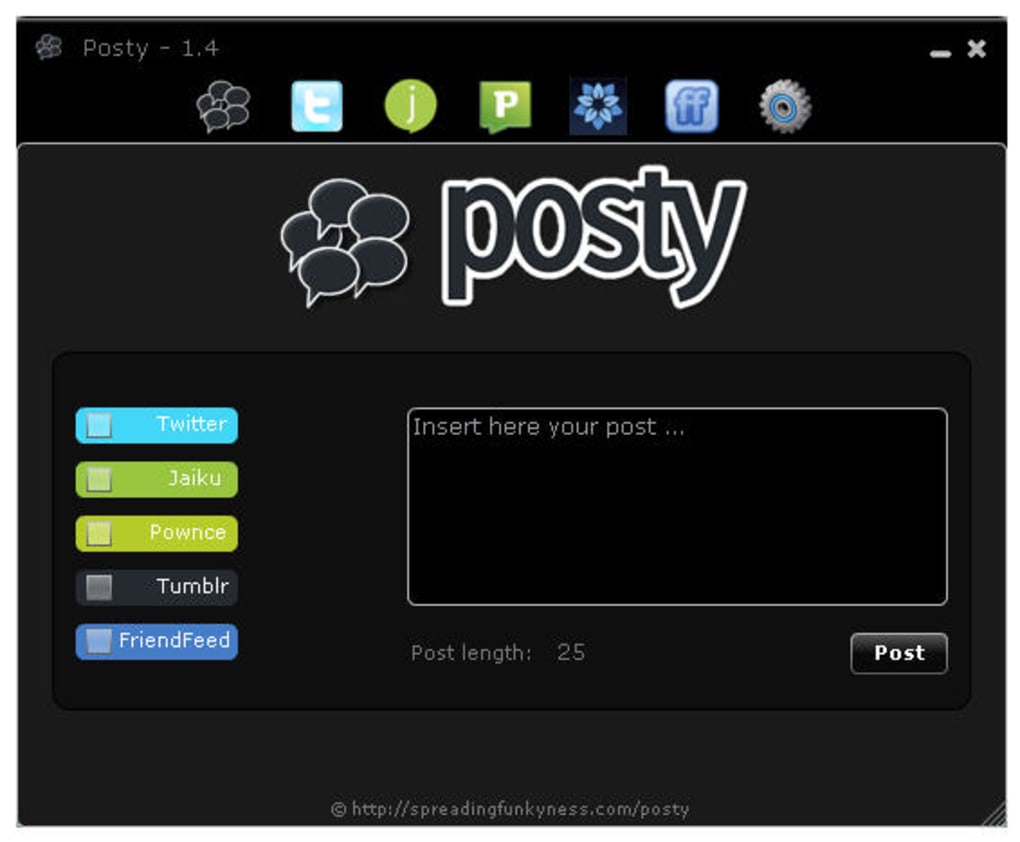
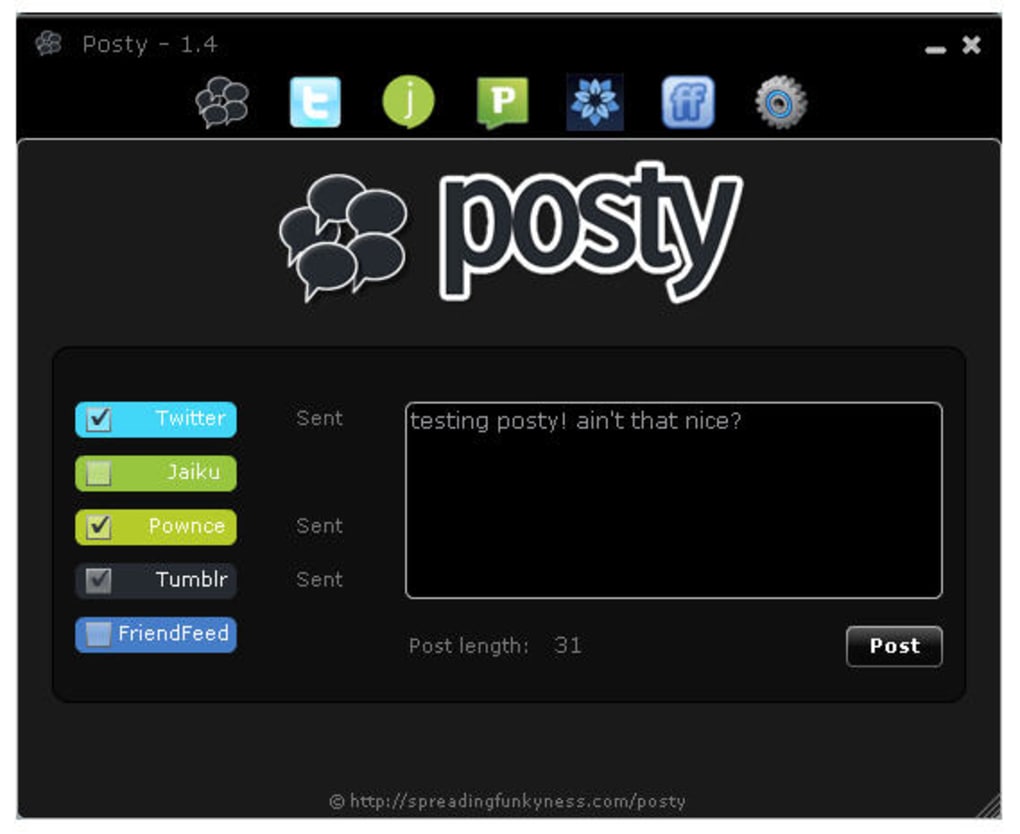
After configuring your accounts, the main window displays a large text box at the top. Type your message (up to 280 characters for Twitter, longer for other services). Below the box, you’ll see a row of check‑boxes—each representing one of the supported platforms. Tick the services you want to target, then click the bright Post button. Posty instantly sends the content to the selected networks and displays a confirmation toast for each successful delivery.
If a post fails (for example, due to expired credentials), the app highlights the problematic service in red and offers a quick “Re‑authenticate” link. You can also view a log of recent posts by switching to the History tab, which lists timestamps, platform distribution, and any error messages. This transparency helps you troubleshoot without leaving the app.
Tips for Power Users
- Enable the Auto‑Shorten URLs option in Settings to keep tweets concise.
- Use the Template feature to create reusable post formats for recurring announcements.
- Set a custom hotkey (e.g., Ctrl + Enter) to publish without clicking the button.
Overall, the installation process takes less than five minutes, and the intuitive UI means you’ll be posting across all five networks in under a minute—perfect for real‑time event coverage or daily content bursts.
Compatibility & Pros & Cons
Posty runs on any desktop environment that supports Adobe AIR, which includes Windows 7 and newer, macOS 10.9 and later, and popular Linux distributions with the AIR runtime installed. Because it is a lightweight AIR application, system requirements are modest: 256 MB of RAM, 50 MB of free disk space, and a modern graphics driver for smooth rendering. Mobile platforms (iOS, Android) are not currently supported, but the developers have hinted at a future companion app that would sync your desktop settings to the cloud.
Pros
- Time‑saving: Publish to five services with a single click.
- Secure: Encrypted credential storage protects login data.
- Lightweight: Minimal impact on CPU and memory.
- Cross‑platform: Works on Windows, macOS, and Linux.
- Free core version: No hidden subscription fees for basic functionality.
Cons
- No native photo or video upload for Tumblr and FriendFeed.
- Lacks contact management or follower analytics.
- Requires Adobe AIR runtime, which some users consider outdated.
- Interface feels slightly dated compared to modern Electron‑based apps.
- Mobile support is absent, limiting on‑the‑go posting.
Overall rating: 4 out of 5 stars.
FAQ
Is Posty still updated for new social platforms?
The current version supports Twitter, Jaiku, Pownce, Tumblr, and FriendFeed. While Jaiku and Pownce have seen reduced activity, the developers have stated they will add support for emerging platforms in future updates.
Can I schedule posts for later?
Posty does not include a native scheduler. However, you can use Windows Task Scheduler or macOS Automator to launch the app with pre‑filled content at a specific time.
Is my login information safe?
Yes. Credentials are stored using Adobe AIR’s encrypted local storage, and the app never transmits passwords in plain text.
Do I need an internet connection for the app to work?
An active internet connection is required to post to the services. The app itself can be launched offline, but any publishing attempts will be queued until connectivity returns.
Is there a paid version of Posty?
A premium license is available for $9.99 per year, offering priority support, early access to new features, and an ad‑free experience.
Conclusion – Should You Download Posty?
If you find yourself hopping between Twitter, Tumblr, and other niche micro‑blogging sites, Posty delivers a compelling solution that consolidates your workflow into a single, secure desktop client. Its strengths lie in simplicity, speed, and the peace of mind that comes from encrypted credential storage. While the lack of media uploads and mobile support may be a drawback for power users, the free core version still offers enough value to justify a download for anyone who posts regularly.
In a landscape crowded with web‑based cross‑posting services, Posty’s offline‑first approach ensures you remain productive even when your internet connection is spotty. The modest price tag of the premium tier adds optional polish without forcing users into a subscription. Overall, Posty earns a solid 4‑star rating and is a worthwhile addition to any social‑media toolkit.
Ready to streamline your micro‑blogging routine? Download Posty now and start posting to five networks with one click.







